Physical Address
304 North Cardinal St.
Dorchester Center, MA 02124
Physical Address
304 North Cardinal St.
Dorchester Center, MA 02124

Online shopping platforms deliver benefits which include convenient access to multiple product choices and quick package delivery. Myntra provides users who access its platform through mobile applications and website interfaces with an easy process to cancel their orders. Understanding the correct steps helps avoid confusion, delays, and unnecessary returns.
The guide provides instructions for how to cancel order on Myntra for both phone and website users, and it explains essential rules, refund timeframes, and methods to overcome technical difficulties.
The steps to cancel a service begin with a need to understand the rules which guide cancellation procedures –
The conditions must be understood because they create unexpected problems during the cancellation process.
The Myntra mobile app offers a user-friendly interface for order management. The following steps explain how to cancel order on Myntra using a phone.
Step 1: Open the Myntra App
Launch the Myntra application on the smartphone.
Step 2: Access the Profile Section
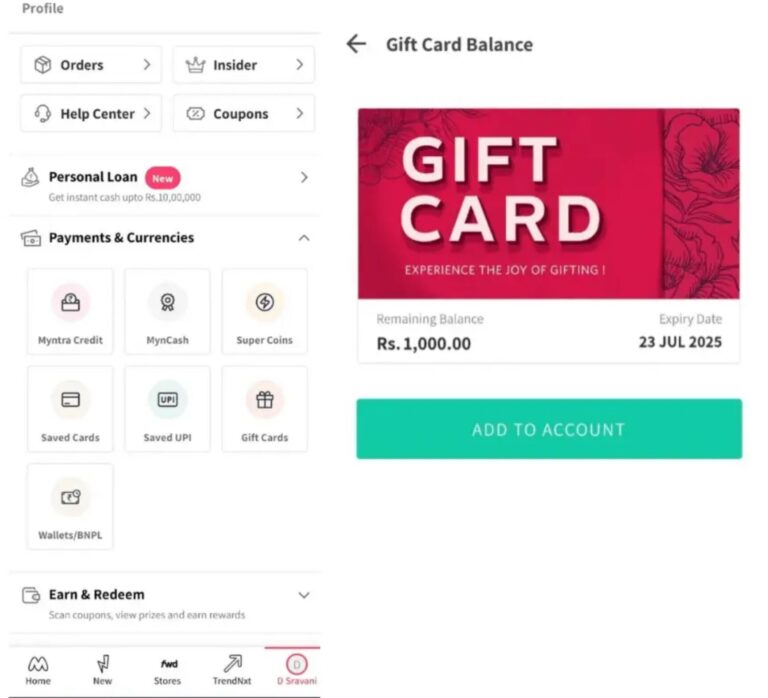
Tap the “Profile” or “Myntra” icon, usually located at the bottom right corner of the screen.

Step 3: Open the Orders Section
Select the “Orders” option to view recent purchases.
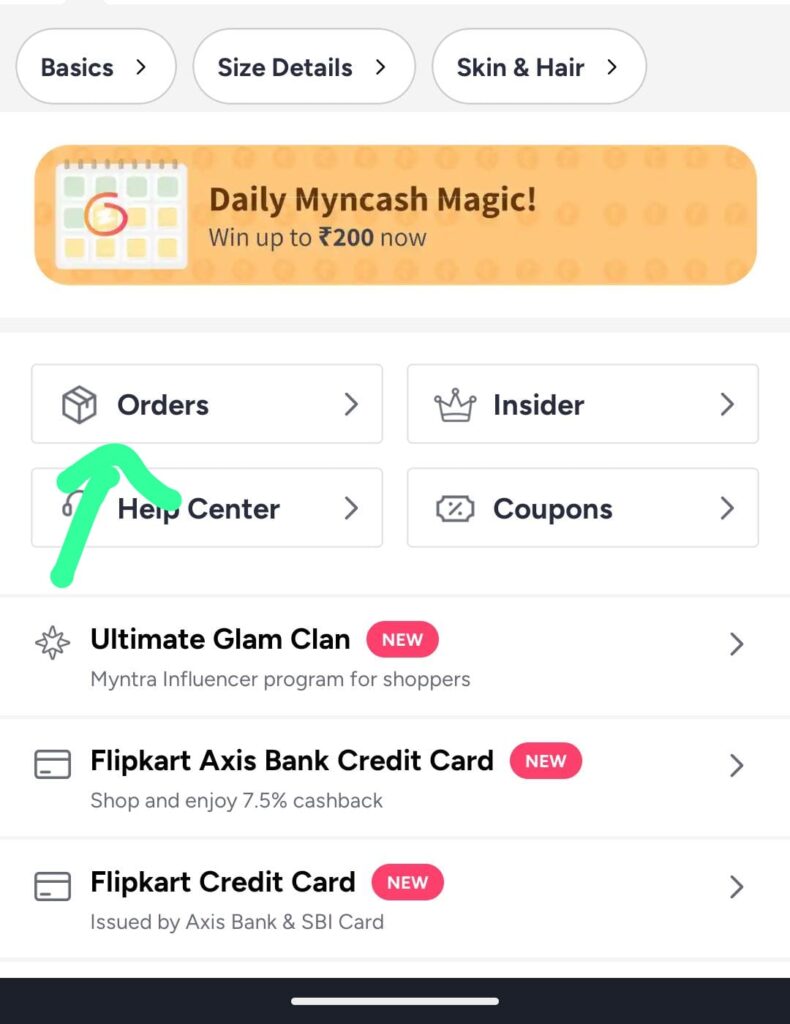
Step 4: Select the Order to Cancel
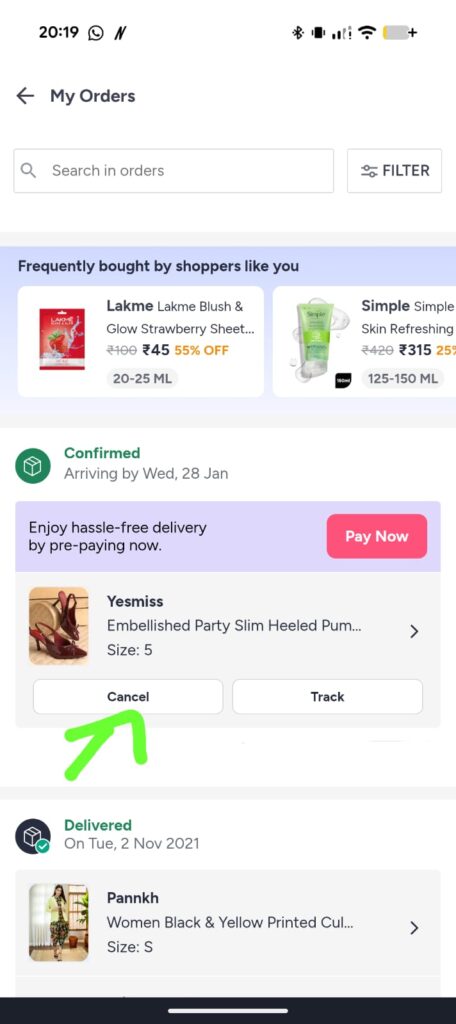
Tap the specific order requiring cancellation. Order details page appears with item information, delivery status, and available actions
Step 5: Initiate Cancellation
Locate the “Cancel Item” or “Cancel Order” option within the order details. Tap the option to proceed.
Step 6: Choose a Cancellation Reason
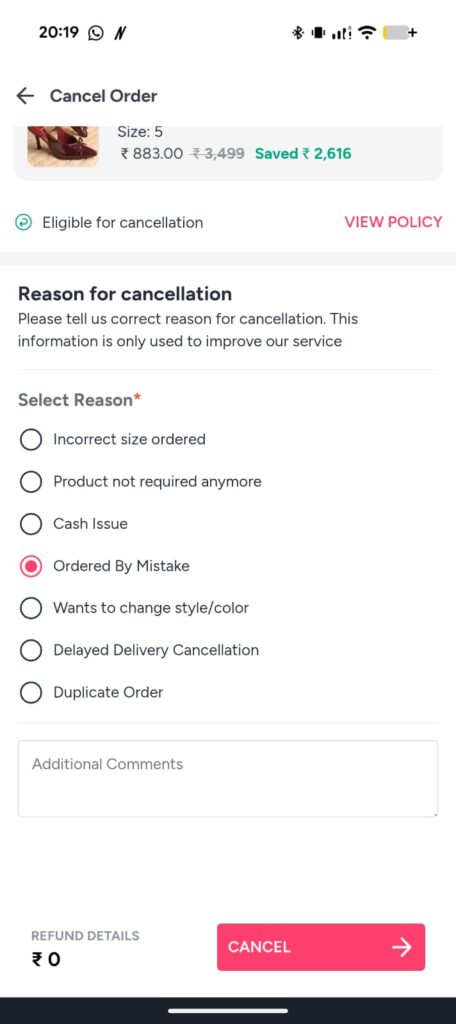
Select a reason for cancellation from the available options, such as:
Step 7: Confirm Cancellation
Confirm the cancellation request. Successful cancellation message appears on the screen.
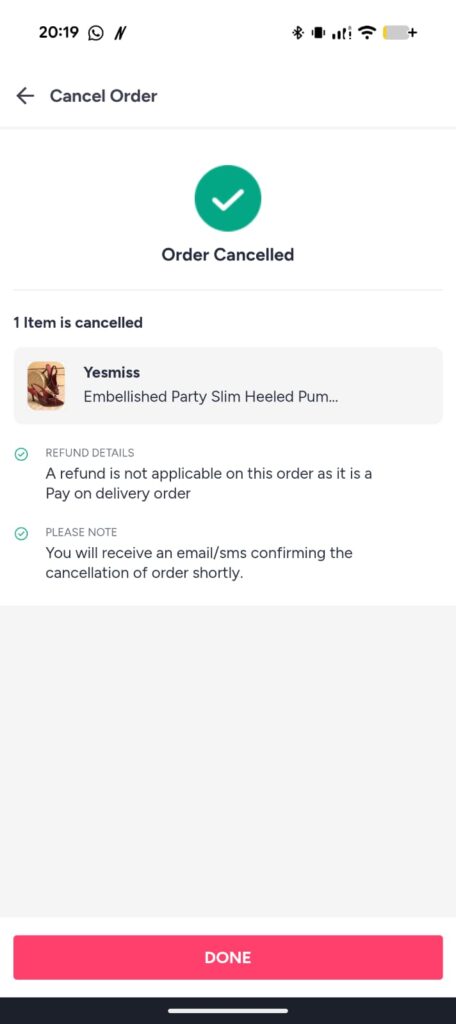
Following these steps ensures a smooth process to cancel order on Myntra through a mobile phone.
The Myntra website also provides a simple cancellation process. The steps below explain how to cancel order on Myntra using a browser.
Step 1: Log in to the Myntra Website
Visit the Myntra website and log in using registered credentials.

Step 2: Navigate to the Orders Section
Click on the “Orders” tab from the account menu.

Step 3: Select the Order
Locate the order requiring cancellation and click on it to open details.
Step 4: Click the Cancel Button
Click the “Cancel” button displayed on the order details page.
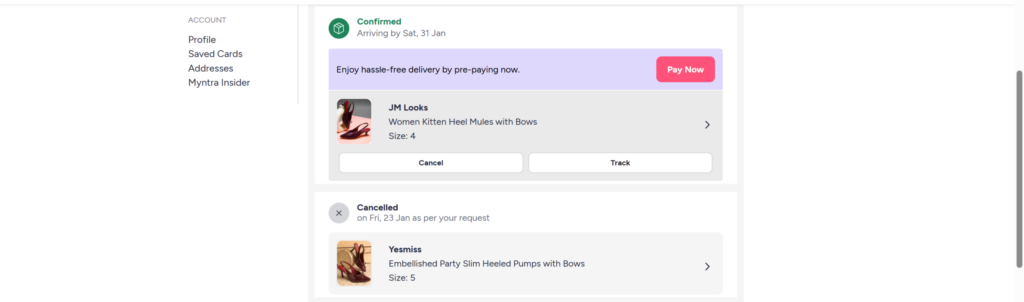
Step 5: Select a Reason for Cancellation
Choose a reason from the available options and proceed.
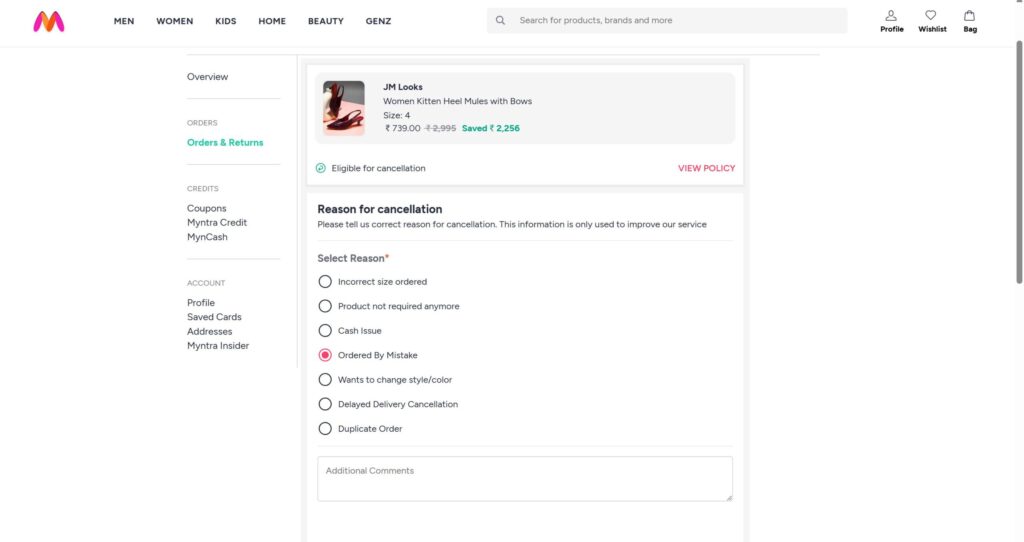
Step 6: Confirm the Cancellation
Confirm the cancellation request. A confirmation message appears after successful processing.
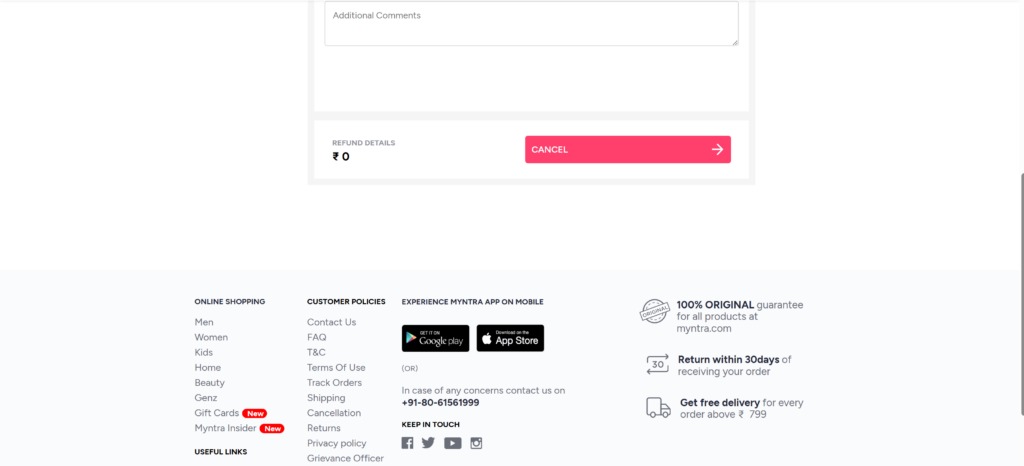
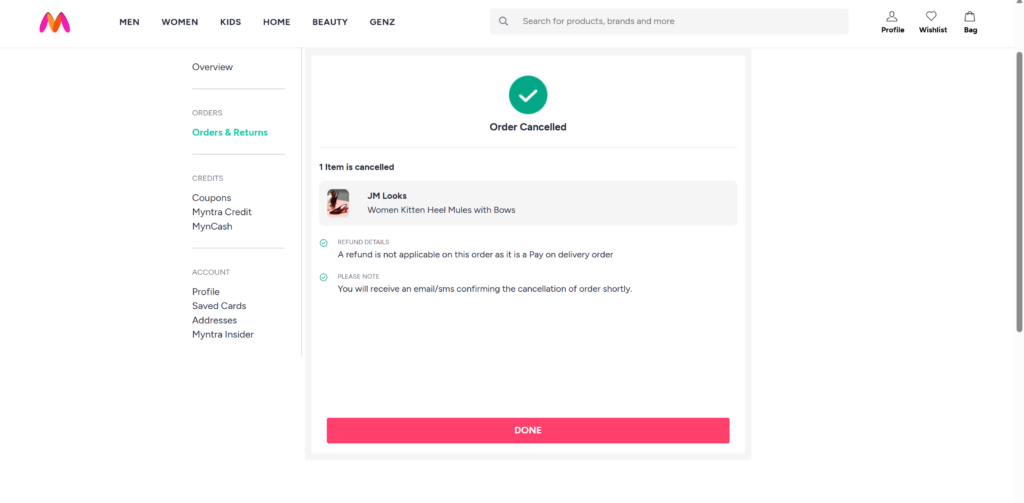
These steps provide a complete method to cancel order on Myntra through the website.
In many cases, cancellation becomes impossible once shipping begins. In such situations, alternative options remain available.
Option 1: Reject Delivery
Rejecting the delivery during doorstep arrival automatically initiates a return process. Refund processing begins after the item returns to the warehouse.
Option 2: Initiate Return After Delivery
Return requests can be initiated from the “Orders” section after delivery completion. Return pickup scheduling and refund processing follow the standard Myntra return policy.
Understanding these options helps manage situations where direct cancellation becomes unavailable.
Different payment methods lead to different refund timelines –
Prepaid Orders
Cash on Delivery Orders
Users can check refund status by accessing the Orders section.
The cancellation process faces multiple common problems.
The possible reasons for this include the following
Solution: Contact Myntra customer support or initiate a return.
2. Partial Cancellation Restrictions
Some orders containing multiple items may allow cancellation of specific items only.
3. Refund Delay
Refund delays may occur due to:
Tracking refund status through the account dashboard helps resolve concerns.
Following practical tips increases the chances of successful cancellation.
These practices help simplify the process to cancel order on Myntra.
Can order cancellation be done after shipping?
Direct cancellation becomes unavailable after shipping. Delivery rejection or return initiation remains the only option.
How long does a refund take after cancellation?
Refunds usually process within 7–10 working days for prepaid orders.
Can partial orders be canceled?
Partial cancellation remains possible for eligible items within a multi-item order.
What to do if cancellation fails?
Customer support assistance remains available through the Myntra help section. The procedure to cancel order on Myntra maintains its simplicity when customers execute it before their orders reach shipping status. Customers can easily cancel their orders through the Orders section which is available on both the mobile app and website. The knowledge about cancellation procedures and refund processing times and the available choices for orders that have been shipped, enables customers to bypass any unneeded troubles that may occur.
The complete order management process on Myntra, together with its shopping functions, becomes successful through implementation of the specified detailed procedures. The most successful method for customers to cancel their orders on Myntra without experiencing delays involves them to check their order status regularly and take immediate action.